Build a TikTok Data Pipeline for Repeatable Analytics

Senior Web Scraping Engineer
TL;DR:
- A TikTok data pipeline should preserve raw responses before normalization. Source payloads make parser changes and field drift reviewable.
- Collection runs need their own status table. A failed request is a coverage gap, not an empty profile, post list, or product.
- TikTok identifiers belong in text columns. String storage prevents long IDs from being changed by numeric conversion.
- Snapshot tables describe observations over time. They should not overwrite prior creator, post, or Shop values.
- History coverage depends on collected pages and verified continuation data. A first-page response is not a complete account history.
- Free to start. New Scrapeless accounts include free credit through the Scrapeless Dashboard.
Introduction: analytics begins with collection evidence
A dashboard can only explain the records that reached its database. Without raw payloads, run status, and collection timestamps, an empty chart cannot distinguish no activity from a failed collection or a parser change.
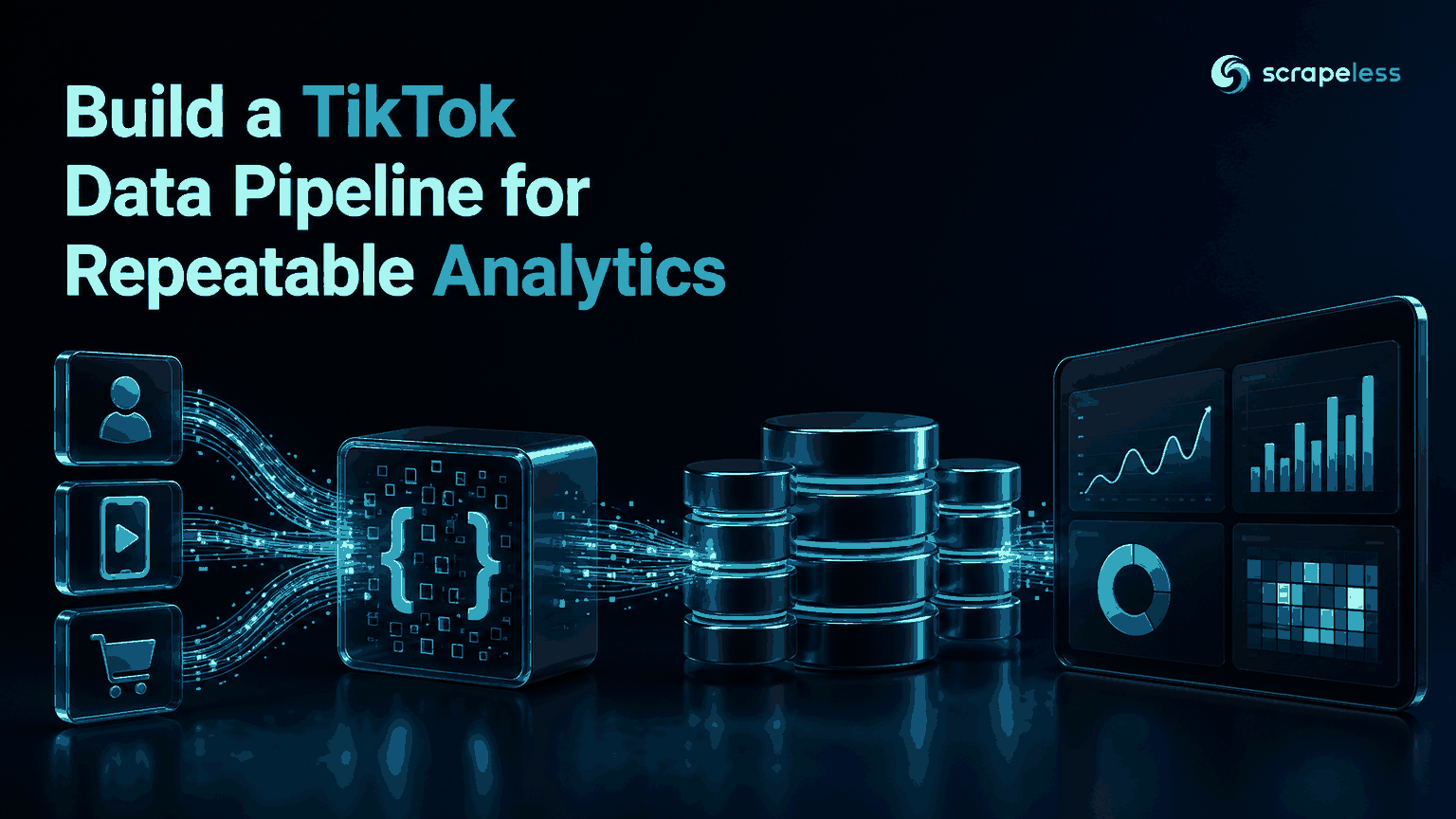
This guide builds a compact TikTok data pipeline from the Scrapeless TikTok actors to SQLite. The design preserves raw JSON, normalizes creator, post, and Shop snapshots, runs data-quality checks, and exposes small SQL queries for analytics. Scheduling, production database operations, and business-intelligence delivery remain application responsibilities.
The TikTok actor guide documents the actor map used by the collector.
Pipeline at a Glance
| Stage | Action | Output |
|---|---|---|
| Collect | Call profile, post, and optional Shop actors | API responses |
| Preserve | Store raw JSON with actor and run metadata | Immutable source layer |
| Normalize | Parse IDs, counters, timestamps, and dimensions | Snapshot tables |
| Validate | Check keys, types, nulls, and run coverage | Data-quality results |
| Query | Aggregate changes and current state | Analytics views |
The pipeline records what each request returned. It does not claim full TikTok history unless every required page and continuation value has been collected and verified.
Prerequisites
- A Scrapeless account and API key from the Scrapeless Dashboard
- Python 3 with the standard library and SQLite
- One public TikTok username for profile and post collection
- Optional TikTok Shop product ID and region for product snapshots
- A storage location, retention policy, and collection schedule
SCRAPELESS_API_KEYandTIKTOK_USERNAMEfor the collector; Shop environment variables are optional
The end-to-end code is a prerequisite gap because a live Scrapeless credential and target identifiers come from the reader. The actor names, input fields, and normalized columns follow the supplied interface document without presenting invented output.
Stage 1: Give Every Collection Attempt an Identity
Create one run_id for a logical collection and one row per actor request. Store actor name, request input, collection time, status, and any error detail. The raw payload table should reference the same run and record a parser version.
HTTP response handling should distinguish successful application responses from failures. The HTTP Semantics specification defines the status-code framework used by clients and servers.
A coverage table can then answer three basic questions:
- Which entities were requested?
- Which requests produced usable payloads?
- Which normalized tables received rows from each payload?
Do not represent a failed post request as an empty items array. Those states have different analytical meanings.
Stage 2: Preserve Raw JSON Before Parsing
Raw responses are the audit layer for a TikTok API to database workflow. Store the actor name, requested input, collection time, response JSON, and parser version together. Python's JSON documentation defines the serialization interface used in the example.
Raw storage serves three practical purposes:
- A parser can be rerun after a schema change.
- A questionable normalized value can be traced to its source field.
- New fields can be backfilled from retained payloads without repeating collection.
Redact secrets before writing request metadata. The API key belongs in process configuration and should never enter raw-payload or run tables.
Start Scraping with Scrapeless
Power up your web scraping and automation workflow with Scrapeless!
Sign up today and get $5 in free credit — no credit card required.Claim your free credit now in the Scrapeless Dashboard.
Stage 3: Normalize Creator, Post, and Product Snapshots
Keep natural identifiers as text and include collected_at in every snapshot key. A creator profile can change, post counters can grow, and a Shop product can change price, stock, rating, or review count.
The normalized layer can begin with these tables:
| Table | Entity key | Snapshot fields |
|---|---|---|
profile_snapshots |
account ID + collection time | username, followers, likes, videos |
post_snapshots |
post ID + collection time | creator ID, duration, plays, likes, comments, shares |
product_snapshots |
product ID + region + collection time | name, price, currency, stock, rating, review count |
post_hashtags |
post ID + collection time + hashtag | normalized tag |
SQLite's CREATE TABLE documentation describes the primary-key and type constraints behind this model.
Note: The code below requires live
SCRAPELESS_API_KEYandTIKTOK_USERNAMEvalues.TIKTOK_SHOP_PRODUCT_IDandTIKTOK_SHOP_REGIONare optional and enable the Shop branch.
python
import json
import os
import sqlite3
import uuid
from datetime import datetime, timezone
from urllib.request import Request, urlopen

ENDPOINT = "https://api.scrapeless.com/api/v1/scraper/request"
PARSER_VERSION = "tiktok-v1"


def utc_now():
    return datetime.now(timezone.utc).isoformat()


def request_actor(actor, actor_input):
    body = json.dumps({"actor": actor, "input": actor_input}).encode()
    request = Request(
        ENDPOINT,
        data=body,
        headers={
            "content-type": "application/json",
            "x-api-token": os.environ["SCRAPELESS_API_KEY"],
        },
        method="POST",
    )
    with urlopen(request, timeout=60) as response:
        return json.load(response)


def integer(value):
    try:
        return int(value)
    except (TypeError, ValueError):
        return None


database = sqlite3.connect("tiktok-analytics.sqlite3")
database.executescript("""
CREATE TABLE IF NOT EXISTS collection_runs (
  run_id TEXT NOT NULL, actor TEXT NOT NULL, collected_at TEXT NOT NULL,
  request_json TEXT NOT NULL, status TEXT NOT NULL, detail TEXT,
  PRIMARY KEY (run_id, actor)
);
CREATE TABLE IF NOT EXISTS raw_payloads (
  run_id TEXT NOT NULL, actor TEXT NOT NULL, parser_version TEXT NOT NULL,
  payload_json TEXT NOT NULL, PRIMARY KEY (run_id, actor)
);
CREATE TABLE IF NOT EXISTS profile_snapshots (
  collected_at TEXT NOT NULL, account_id TEXT NOT NULL, unique_id TEXT,
  followers INTEGER, likes INTEGER, videos INTEGER,
  PRIMARY KEY (collected_at, account_id)
);
CREATE TABLE IF NOT EXISTS post_snapshots (
  collected_at TEXT NOT NULL, post_id TEXT NOT NULL, account_id TEXT NOT NULL,
  video_duration INTEGER, play_count INTEGER, like_count INTEGER,
  comment_count INTEGER, share_count INTEGER,
  PRIMARY KEY (collected_at, post_id)
);
CREATE TABLE IF NOT EXISTS post_hashtags (
  collected_at TEXT NOT NULL, post_id TEXT NOT NULL, hashtag TEXT NOT NULL,
  PRIMARY KEY (collected_at, post_id, hashtag)
);
CREATE TABLE IF NOT EXISTS product_snapshots (
  collected_at TEXT NOT NULL, product_id TEXT NOT NULL, region TEXT NOT NULL,
  name TEXT, sale_price TEXT, currency TEXT, available_quantity INTEGER,
  rating TEXT, review_count INTEGER,
  PRIMARY KEY (collected_at, product_id, region)
);
""")

run_id = str(uuid.uuid4())
collected_at = utc_now()


def collect(actor, actor_input):
    request_json = json.dumps(actor_input, sort_keys=True)
    try:
        payload = request_actor(actor, actor_input)
        database.execute(
            "INSERT INTO raw_payloads VALUES (?, ?, ?, ?)",
            (run_id, actor, PARSER_VERSION, json.dumps(payload, ensure_ascii=False)),
        )
        status, detail = "success", None
    except Exception as error:
        payload = None
        status, detail = "failed", f"{type(error).__name__}: {error}"
    database.execute(
        "INSERT INTO collection_runs VALUES (?, ?, ?, ?, ?, ?)",
        (run_id, actor, collected_at, request_json, status, detail),
    )
    return payload


profile = collect(
    "scraper.tiktok.user.detail",
    {"unique_id": os.environ["TIKTOK_USERNAME"]},
)

if profile:
    stats = profile.get("statistics") or {}
    account_id = str(profile.get("account_id") or "")
    database.execute(
        "INSERT INTO profile_snapshots VALUES (?, ?, ?, ?, ?, ?)",
        (
            collected_at, account_id, profile.get("unique_id"),
            integer(stats.get("followers")), integer(stats.get("likes")),
            integer(stats.get("videos")),
        ),
    )

    posts = collect(
        "scraper.tiktok.user.work",
        {"sec_uid": profile["sec_uid"], "cursor": "0", "count": 10},
    )
    if posts:
        for post in posts.get("items") or []:
            post_id = str(post.get("post_id") or post.get("video_id") or "")
            database.execute(
                "INSERT INTO post_snapshots VALUES (?, ?, ?, ?, ?, ?, ?, ?)",
                (
                    collected_at, post_id, account_id,
                    integer(post.get("video_duration")),
                    integer(post.get("play_count")), integer(post.get("like_count")),
                    integer(post.get("comment_count")), integer(post.get("share_count")),
                ),
            )
            for hashtag in set(post.get("hashtags") or []):
                normalized = str(hashtag).strip().removeprefix("#").casefold()
                if normalized:
                    database.execute(
                        "INSERT INTO post_hashtags VALUES (?, ?, ?)",
                        (collected_at, post_id, normalized),
                    )

product_id = os.getenv("TIKTOK_SHOP_PRODUCT_ID")
product_region = os.getenv("TIKTOK_SHOP_REGION")
if product_id and product_region:
    product = collect(
        "scraper.tiktok.shop.page",
        {"product_id": product_id, "region": product_region},
    )
    if product:
        price = product.get("price") or {}
        stock = product.get("stock") or {}
        database.execute(
            "INSERT INTO product_snapshots VALUES (?, ?, ?, ?, ?, ?, ?, ?, ?)",
            (
                collected_at, str(product.get("product_id") or product_id),
                str(product.get("region") or product_region).casefold(),
                product.get("name"), price.get("sale_price"),
                price.get("currency"), integer(stock.get("available_quantity")),
                str(product.get("rating")) if product.get("rating") is not None else None,
                integer(product.get("review_count")),
            ),
        )

database.commit()
database.close()
The example collects the first requested post page only. It does not promise complete account history because no continuation field is assumed beyond the verified response.
Stage 4: Add Data-Quality Checks Before Analytics
Quality checks should run at both collection and normalized layers. At minimum, flag:
- Failed actor requests in
collection_runs - Successful raw payloads that produced no expected entity rows
- Empty account, post, or product IDs
- Negative counters
- Zero or missing video durations in duration analyses
- Product rows missing region or currency context
- Duplicate entity keys for one collection timestamp
Keep the checks as queryable results rather than console-only messages. A dashboard can then show the coverage gap beside the metric it affects.
Stage 5: Query Snapshots Without Erasing Time
Window functions compare each entity with its previous observation. SQLite's window-function documentation defines LAG() for this use case.
sql
-- Illustrative follower-change query over the normalized schema.
SELECT
  account_id,
  collected_at,
  followers,
  followers - LAG(followers) OVER (
    PARTITION BY account_id ORDER BY collected_at
  ) AS follower_change
FROM profile_snapshots;

-- Illustrative run-coverage query.
SELECT actor, status, COUNT(*) AS run_count
FROM collection_runs
GROUP BY actor, status
ORDER BY actor, status;
Use current-state views for dashboards while keeping the underlying tables append-only. The same pattern supports post counter changes, hashtag reports, duration-band comparisons, product price changes, inventory events, and rating monitoring.
Scrapeless provides the TikTok actors through Scraping API. Review the current pricing page before choosing entity coverage and collection frequency.
Handle TikTok Data Responsibly
Collect public fields needed for a defined analytical purpose, restrict access to raw payloads, and set retention limits for creator-level data. The NIST Privacy Framework provides general guidance for privacy-risk governance and data minimization.
Keep operational configuration outside the database rows shared with analysts. API keys, internal alert routes, and access credentials should remain in a secrets system controlled by the application environment.
Conclusion: make coverage visible beside every metric
A dependable TikTok data pipeline keeps raw JSON, run status, parser version, collection time, and normalized snapshots connected by stable IDs. That structure lets analysts separate real zero activity from missing collection, rerun parsers after field changes, and trace every metric to an observation. Production scheduling, storage scaling, and BI delivery can grow around the same evidence model.
Ready to Build a TikTok Analytics Pipeline?
Join the Scrapeless Discord or Telegram community to discuss snapshot and warehouse schemas. Create an account in the Scrapeless Dashboard when the first entity list is ready.
FAQ
Q: How should a TikTok API connect to a database?
A TikTok API should connect to a database through a collector that records run status, preserves raw JSON, validates fields, and inserts timestamped entity snapshots.
Q: Why store raw TikTok responses?
Raw TikTok responses let a team trace normalized values, review schema changes, and rerun parsers against retained source data.
Q: Should TikTok IDs use integer columns?
TikTok IDs should use text columns because identifiers are opaque strings and should not be changed by numeric conversion.
Q: Does the first post request contain complete account history?
The first post request does not establish complete account history. Coverage depends on collected pages and verified continuation data.
Q: Does Scrapeless manage the scheduler and data warehouse?
Scrapeless provides structured actor responses for collection. The caller manages scheduling, database operations, transformations, quality monitoring, and BI delivery.
Q: Is scraping public TikTok data legal?
Legality depends on jurisdiction, purpose, access method, applicable terms, and the fields collected. Use public data for a permitted purpose and seek legal advice for the intended pipeline.
At Scrapeless, we only access publicly available data while strictly complying with applicable laws, regulations, and website privacy policies. The content in this blog is for demonstration purposes only and does not involve any illegal or infringing activities. We make no guarantees and disclaim all liability for the use of information from this blog or third-party links. Before engaging in any scraping activities, consult your legal advisor and review the target website's terms of service or obtain the necessary permissions.